The Realities of Embedded UI
Building a user interface for an embedded Linux board usually leaves you with two default options, and neither is particularly convenient.
Option one: a native toolkit like Qt or GTK.
These work, but they are heavy, come with their own platform abstractions, and tend to accumulate complexity when you need anything custom. Cross-compilation is not always straightforward, and keeping versions consistent between your build machine and the target is a recurring source of bugs.
Option two: a web stack - Electron, CEF, or a bundled Chromium.
This gives you modern design capabilities, but at the cost of pulling in a full browser engine. On a resource-constrained board, boot time and RAM usage become problems fast.
At Grinn, we've recently done a test to find a third path - something that renders natively, plays nicely with a Yocto build, allows designers to hand off a Figma file instead of writing QML from scratch, and works natively with multiple backend languages.
We tested Slint on the Grinn GenioBoard, and here's what we found.
What is Slint?
Slint is a UI toolkit built around a declarative domain-specific language. It allows you to write layouts in .slint files, compile them ahead of time to native code, and hook up the business logic in Rust, C++, Python, or JavaScript.
Rendering is handled by three backends: FemtoVG (OpenGL), Skia (OpenGL, Metal, Vulkan, Direct3D), and a pure software renderer running on the CPU - useful for microcontrollers and other constrained targets. Since version 1.12, FemtoVG also runs over WGPU, enabling integration with engines like Bevy.

This solution may be interesting for developers for a number of reasons:
- Rapid UI prototyping and live previews
You can edit a .slint file and see changes immediately through a live preview without a full rebuild. A built-in data editor also makes it easy to test properties, callbacks, and animations directly during development.
- Multi-language integration
Slint handles the UI layer through a generated API, supporting Rust, C++, Python, and JavaScript. Rust and C++ compile directly against the API with no bridging overhead, ensuring the framework never forces a single language choice on the rest of the project.
- Single binary output
The compiled application is a standalone executable with no runtime dependency on a browser engine and no dynamic linking against a specific version of GTK, making deployment simple and lightweight.
- Cross-platform from desktop to MCU
The same toolkit runs on bare-metal microcontrollers, embedded Linux, and desktop operating systems. The .slint files and business logic stay the same across targets - what changes is the backend configuration and renderer selection.
- Streamlined design-to-deployment pipeline
The workflow maps cleanly onto Yocto: a .slint file compiles directly into the image without intermediate translation layers. Slint also offers a Figma plugin that converts frames and design tokens into .slint code - worth evaluating if your team works with Figma-based design handoffs. The standard widget library follows Material 3 (Google’s open-source design system), which saves time if you do not want to design every button from scratch.
The standard widget library follows Material 3 (Google’s open-source design system), which saves time if you do not want to design every button from scratch.
Why Choose Slint for the Grinn GenioBoard?
The Grinn GenioBoard has a Mali-G57 GPU. It is more than capable enough for a modern UI, provided the framework actually uses it. Slint renders through Skia on OpenGL ES by default, so the GPU is engaged from the start. There's no web layer consuming cycles before a single pixel is drawn.
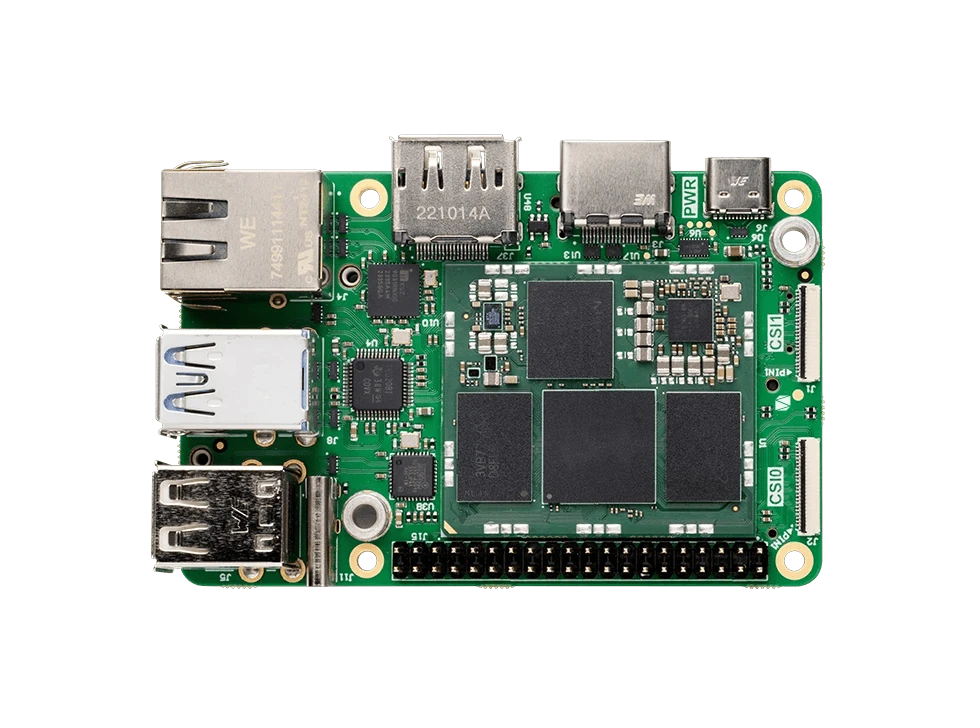
An additional advantage worth noting is language flexibility. Teams building on the Grinn GenioBoard may have different preferences - some working in C++, others in Rust. With Slint, the UI layer works natively with both.
For product teams that involve designers, Slint's Figma plugin is worth noting: it converts frames and design tokens directly into .slint code. It's a realistic path for teams that hand off from Figma.
What We Built
To test the stack, we added three demo applications to our Yocto image. The IoT Dashboard and OpenGL Textures demos are official examples from the Slint repository; we cross-compiled them as-is to verify that upstream code works out of the box on the Grinn GenioBoard. The Space Invaders demo is our own Rust project, written to stress-test real-time performance.
We integrated these three demos into our meta-grinn-genio BSP Yocto layer; the details of that integration are covered in the next section.
.
IoT Dashboard (C++)
A standard industrial HMI scenario: animated gauges, charts, and sensor data that updates live. The backend is C++, the UI is declarative .slint, and the data binding is handled through Slint’s property system.
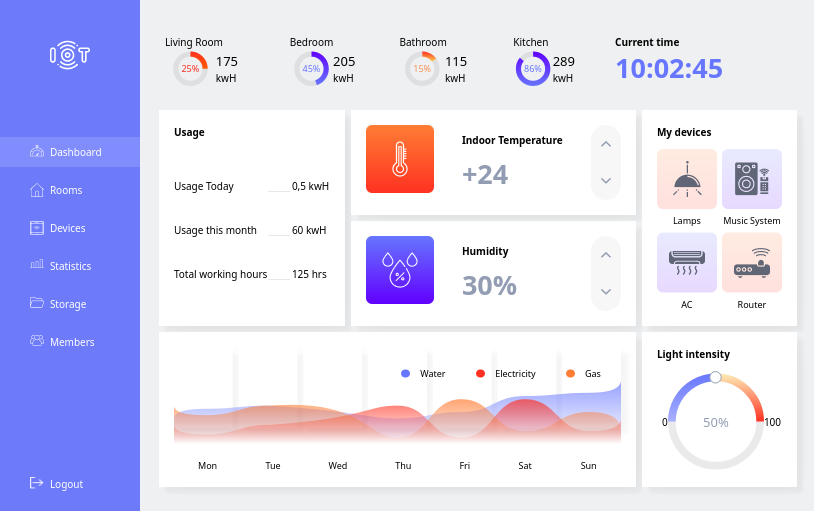
It is a straightforward test of whether the framework can handle real-time data updates at 60 fps without dropping frames. This is an official Slint example, ported to our Yocto build with CMake.
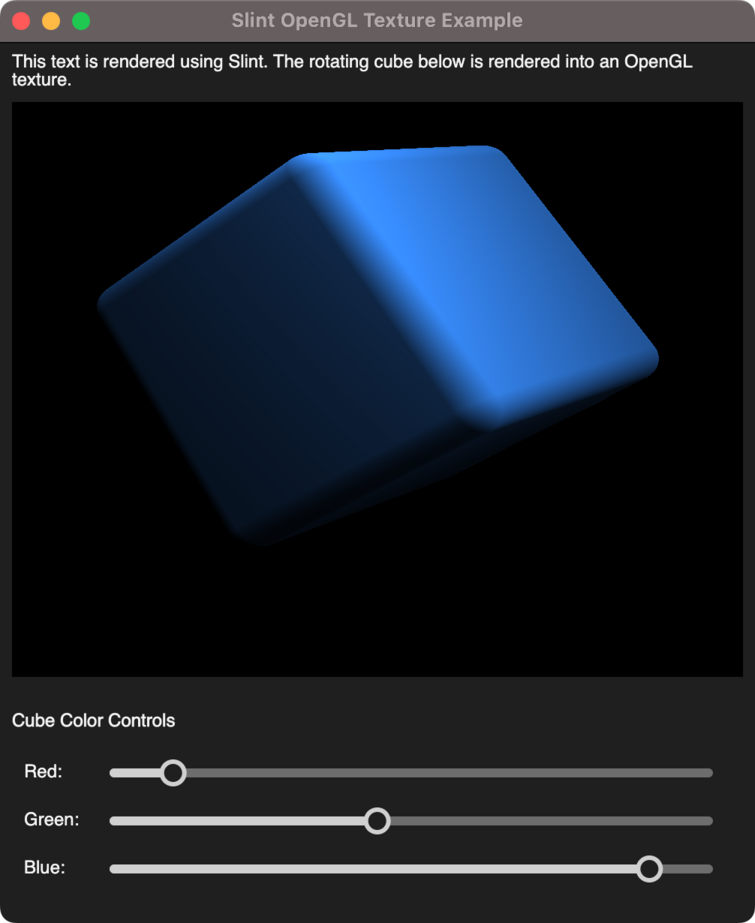
OpenGL Textures (C++ and Rust)
This demo imports an externally rendered OpenGL ES texture into a Slint window. Like the dashboard, this is an official Slint example. The point is to verify interop: if you have a video pipeline, a 3D scene, or camera frames rendered outside Slint, you can composite them into the UI without copying pixels around. We shipped both C++ and Rust versions to confirm the language choice does not change the rendering path.
Space Invaders (Rust)
An industrial panel isn’t the most obvious platform for a shooter-type game, but for our purpose it’s a great dynamic, real-time stress test. We wrote a small arcade game demo that runs a game loop driven by a Slint timer, handles mouse input, updates a dynamic model of enemies and bullets, and runs collision detection every frame. If the framework keeps this running at 60 fps on the Mali-G57, a static dashboard with three buttons will not be a problem.
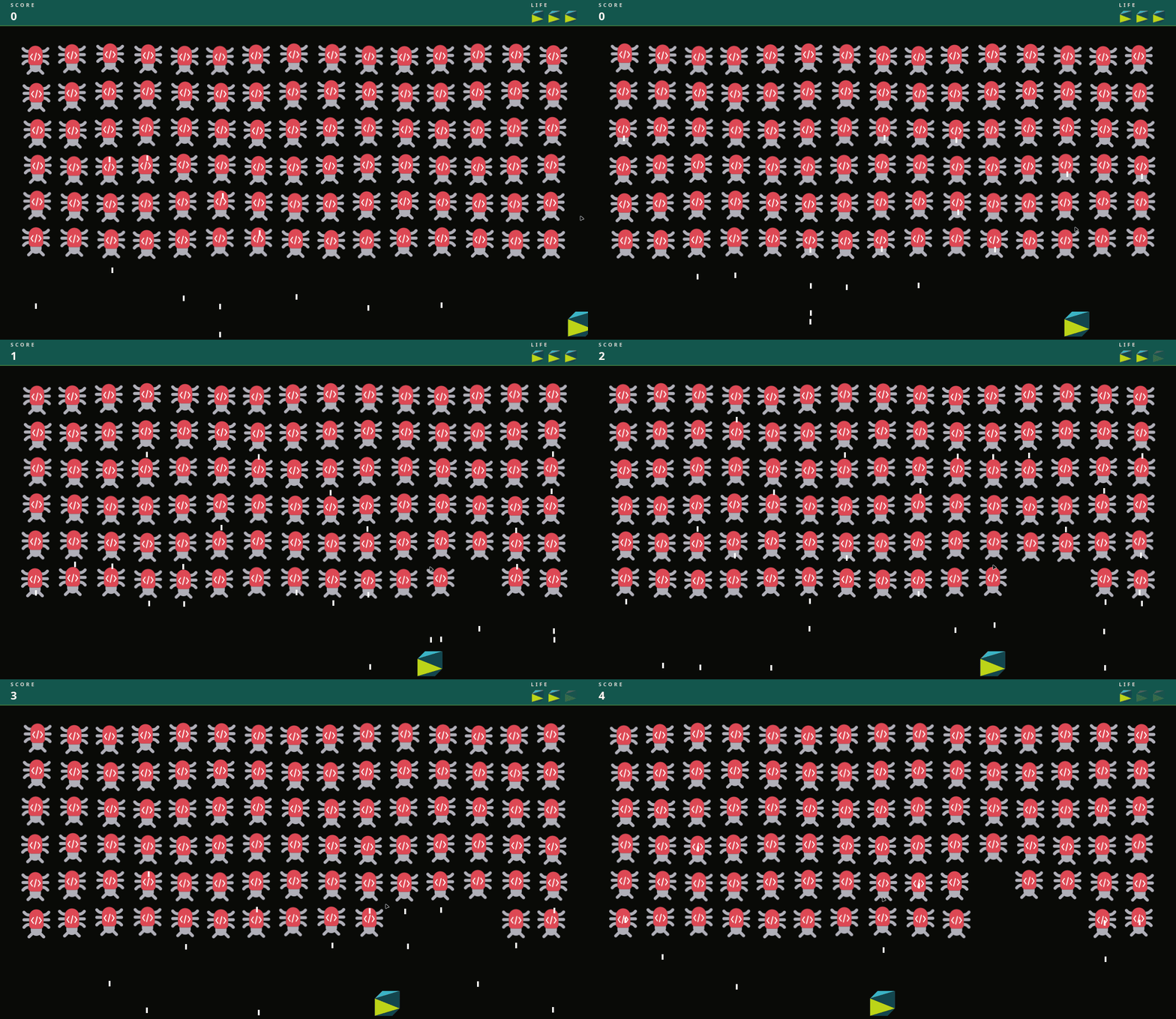
The player controls a ship with the mouse, clicks to shoot, and the HUD shows the score and remaining lives. The implementation is about 400 lines of Rust split into entities, physics, and collision modules. It likely won’t get us a nomination for the Game Awards, but it is enough to verify that input latency, timer precision, and model synchronization are where they should be.
How This Fits Into Yocto?
The integration into our meta-grinn-genio BSP is thin. We added a meta-grinn-slint layer that depends on upstream meta-slint and provides Grinn-specific recipes for the demos. The entire stack is enabled by appending kas/slint.yml to the build configuration.
The layer contains:
A recipe for Slint C++ v1.15.0, with patches for cross-compilation and OpenGL ES.
A shared Rust include (slint-rust-common.inc) that configures cargo for Yocto cross-compilation.
Individual recipes for each demo, fetching the source from our Git repository and building it for ARM64.
An image append that adds the demo binaries to the default RITY demo image.
The Space Invaders recipe, for example, is fifteen lines. It fetches the Rust source, pins it to a specific SRCREV, and installs the resulting binary to /usr/bin. There is no custom build logic beyond what meta-slint and meta-rust-bin already provide.
We integrated this in three commits:
one that adds the layer and recipes;
one that documents the build and flash process;
one that updates the CI pipeline to verify the Slint image compiles correctly.
The build command is the standard kas-container invocation with the slint.yml overlay; flashing uses genio-flash over USB-C, same as any other Genio image. After boot, Weston starts automatically and the demo binaries are on PATH.
The complexity is handled by the upstream meta-slint layer; our additions are specific to the board and the demo applications.
Potential for Real Projects
The demos prove that Slint works well on the Grinn Genioboard. But how do these demos translate to real projects that need an HMI?
Industrial operator panels
Industrial operator panels typically display live sensor data that must update in real time as the backend communicates with hardware. Slint’s property binding system is designed for exactly this use case: a C++ backend writes values to bound properties, and the UI updates automatically without any manual refresh logic.
The IoT Dashboard demo closely mirrors this architecture. A C++ backend can feed live data into animated gauges and charts, which are rendered at 60 FPS on the Mali-G57 using OpenGL ES. Without a browser engine, the data is displayed directly on screen with minimal latency.
Automation controllers
Automation displays are typically fixed installations where the UI process needs to stay lean. Slint's compiled output is a standalone binary with no browser engine and no dependency on a specific GTK version. The UI is built directly into the Yocto image and runs from the same root filesystem.
EV charging stations and public kiosks
Public-facing interfaces need to look polished while remaining easy to update as design requirements evolve. Slint’s Figma integration addresses both of these requirements. Designers can create mockups with defined variables for colors, spacing, and typography, which developers can then import directly into .slint files.
This workflow allows the finished interface to closely match the original design without requiring a manual translation step. When the design changes, updates can follow the same design-to-code pipeline, avoiding the need to manually compare new mockups against an existing implementation.
Machine vision and camera-feed applications
The OpenGL Textures demo demonstrates a capability that maps directly to industrial vision pipelines and camera-based systems. Because Slint can composite an externally rendered OpenGL ES texture directly into the UI window without copying pixel buffers, a video stream or camera feed produced by a separate pipeline can sit inside a Slint interface at full GPU efficiency.
This is the right architecture for applications such as machine inspection panels, smart-camera dashboards, or any HMI where live video must appear alongside controls and sensor readouts.
Medical device displays
Medical devices often demand a lean, auditable software stack with as few external dependencies as possible. Browser-based UI frameworks introduce an additional runtime, complete with its own update cycle that must be tracked and maintained.
Slint avoids this complexity by compiling directly to native code, eliminating the need for a browser engine or external runtime. Its rendering pipeline is GPU-accelerated through OpenGL ES, delivering predictable performance and consistent visual output across runs.
Summary
The question we had going into this was whether you can run a modern, declarative UI on the Grinn GenioBoard without a browser engine.
The answer is yes.
The demos prove that the GPU is utilized and the build process fits into Yocto without friction and the design-to-code workflow is shorter than what we have seen with Qt or web-based stacks.
If you are evaluating hardware for an HMI project and you want a platform that will not force you to maintain a web stack or wrestle with cross-compilation, the Grinn GenioBoard with Slint is a working option. And if you want to see it running, the demos are already in our Yocto image.
— — — — —
If you’d like to discuss a specific HMI use case or discover what can be achieved with the Grinn GenioBoard, get in touch with us!



 Wojciech Krupski